In my 10 years working in the tech industry, I have seen waves of trends, but few have moved as fast as Generative AI. The numbers back this up: McKinsey reports that by 2025, 67% of telecom respondents expect to use GenAI for more than 30% of their daily tasks.
But statistics are one thing; production is another.
Today, my colleagues and I are seeing a massive rise in RAG (Retrieval-Augmented Generation) solutions. We are moving beyond simple chatbots to building complex systems that “talk” to your internal documentation. Based on the projects I’ve delivered for our customers, from retail to finance, here is a breakdown of the architectures we actually use, the problems we’ve solved, and my honest advice on when not to use GenAI.
Why We Are Betting on RAG
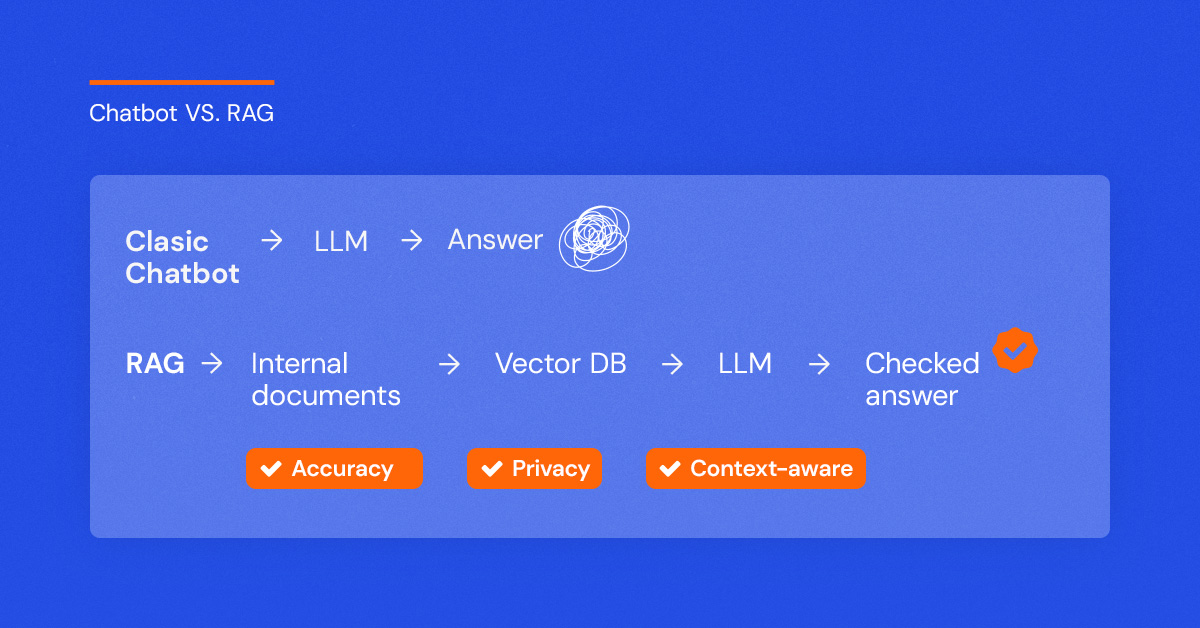
When I talk to clients, I explain that a standard chatbot is like a brilliant improviser who sometimes makes things up. RAG changes that. It forces the bot to look at your specific data before answering.
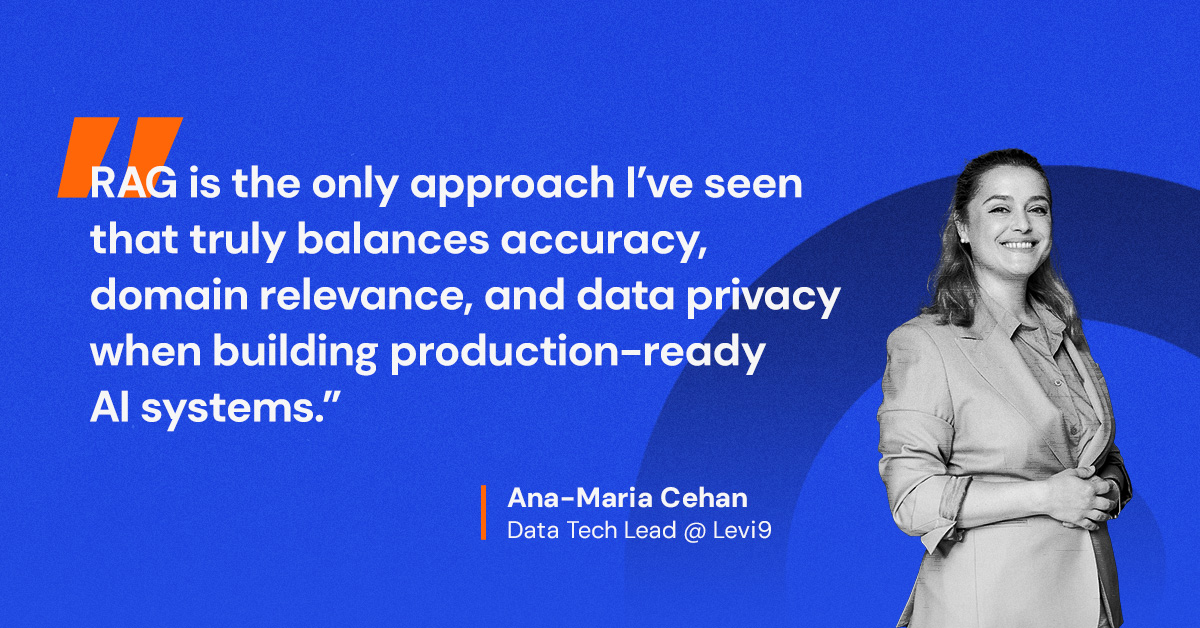
We have built RAG solutions for everything from internal “Q&A over documentation” tools to customer-facing retail bots where users ask about their specific order status. In my experience, this approach is the only way to guarantee accuracy, domain adaptability, and data privacy.
The Three Architectures We Use
Over the last year, I’ve overseen deployments across three different environments. Here is how they compare in the real world:
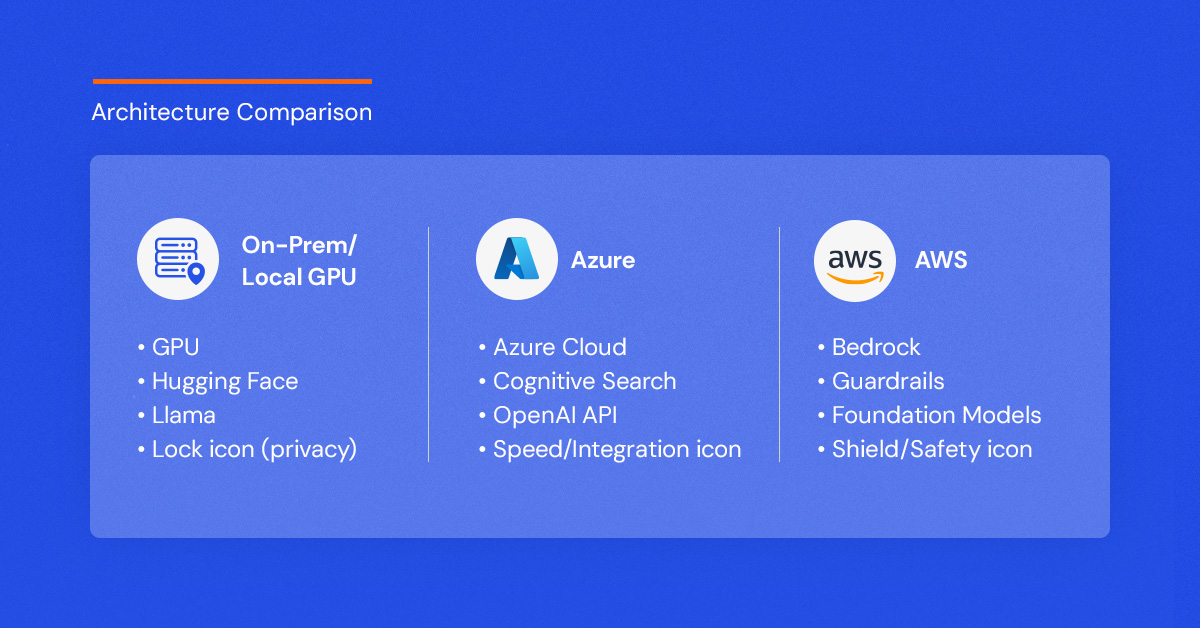
1. The On-Premise / GPU Approach (Llama & Hugging Face)
We built a chatbot in Levi9 using purely internal infrastructure. This was for a customer who needed absolute control.
Follow these principles:
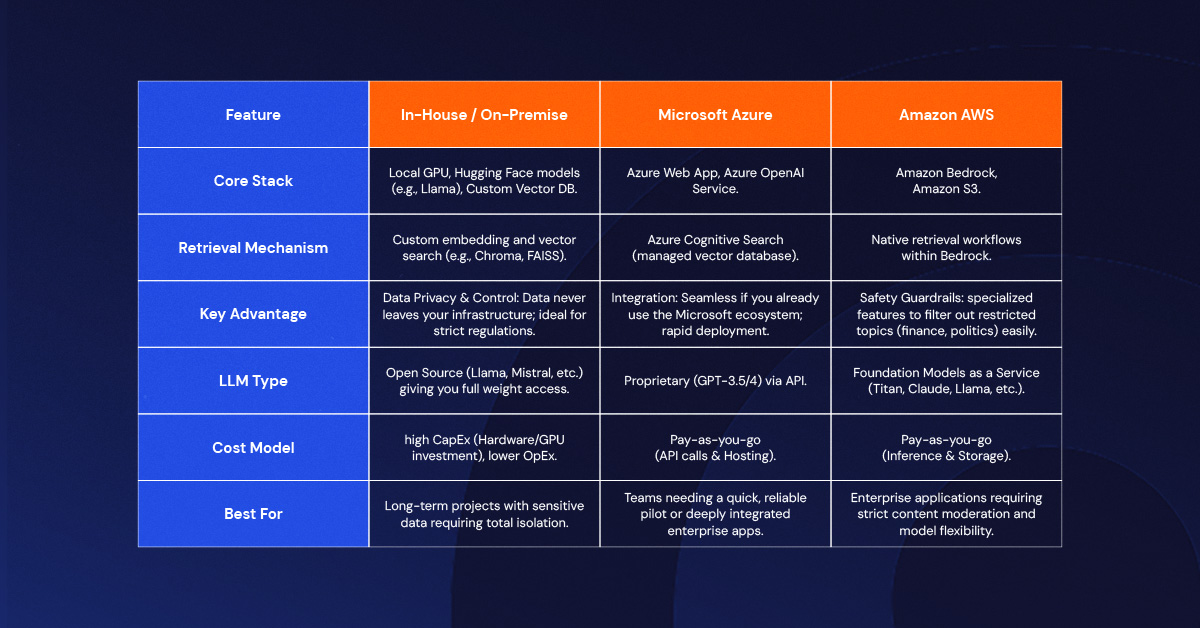
- What we did: We ran the solution on our own GPUs. We pulled open-source models (like Llama) from Hugging Face and handled the coding ourselves.
- My take: This gives you maximum control. We used a "Prompt Engineer Assistant" layer where we explicitly told the bot: "You are an assistant that replies from this context, but does not talk about that." It works beautifully, but you have to manage the hardware.
2. The Azure Cloud Approach
For one of our retail customers, we deployed a solution using the Microsoft stack.
- What we did: We hosted the UI on an Azure Web App and used Azure’s vectorized database for "Cognitive Search." We connected this to an OpenAI API key.
- My take: This is often faster to deploy if you are already in the Microsoft ecosystem. You prompt the model similarly to the on-prem version, but the heavy lifting of indexing is managed by Azure.
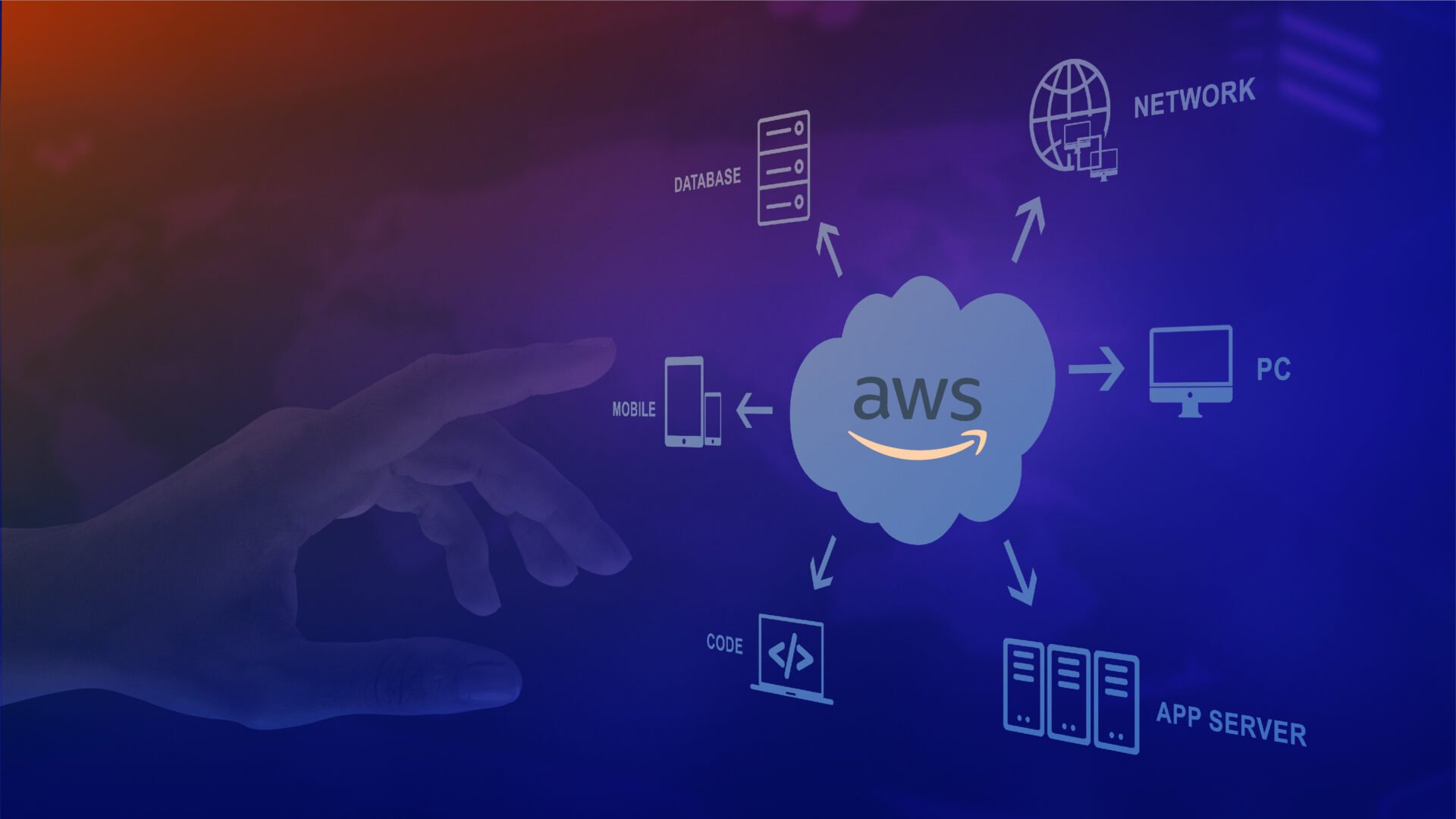
3. The AWS Approach (Bedrock & Guardrails)
I have also worked with Amazon Bedrock, and there is one feature here that I find particularly useful for corporate clients: Guardrails.
- What we did: Beyond just hooking up a Foundation Model and a Vector Database, we configured guardrails to strictly control behavior.
- My take: In a corporate setting, you can't have a bot going rogue. With AWS, I could easily configure it to say, "I don't give finance advice" or block it from discussing sensitive topics like race or politics. It adds a layer of safety that is essential for enterprise use.
When I Don't Use GenAI
This might sound counter-intuitive coming from an AI proponent, but sometimes GenAI is the wrong tool.
I am currently working on a project involving sensitive financial data. In this specific case, we made the hard decision to not use Generative AI. Why? Because we cannot risk hallucinations. When dealing with bank details and financial reporting, “mostly accurate” isn’t good enough.
In these scenarios, I always pivot back to classical AI and basic statistics. We need models that are mathematically interpretable and verifiable. If you are in a high-risk industry, my advice is to prioritize interpretability over the “cool factor” of GenAI.
Challenges & My Recommendations
If you are ready to build, here are a few hurdles I’ve faced and how I suggest you handle them:
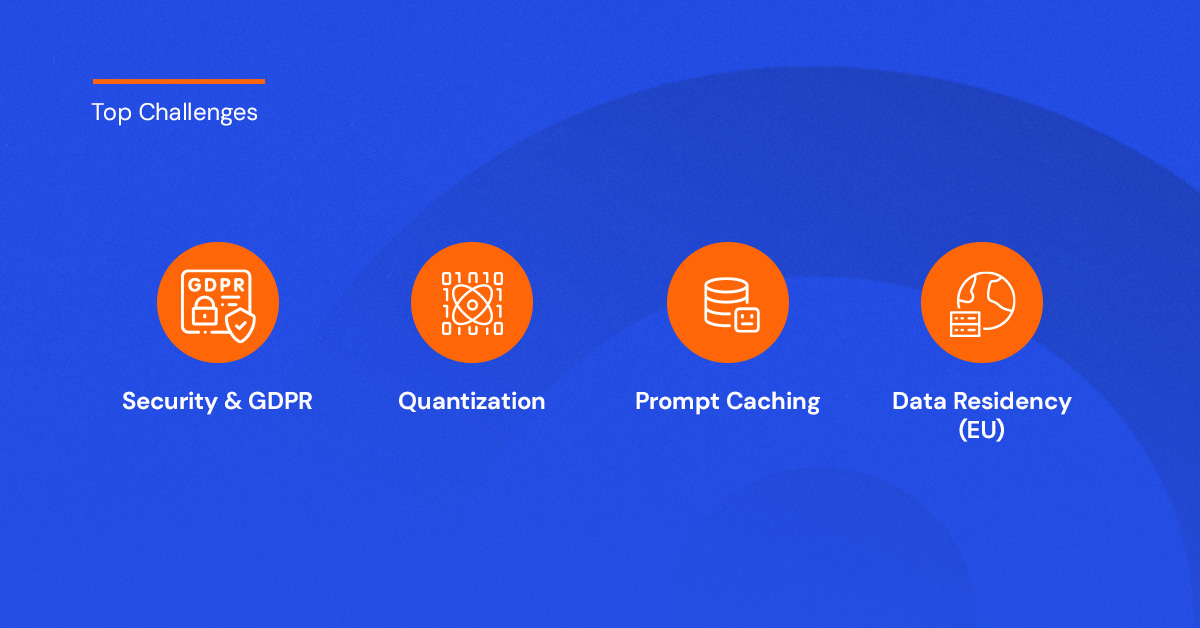
- Security is Paramount: For one of our projects, we had to strictly anonymize Named Entities (names, locations, bank details) before the data ever touched the model. I also insist on ensuring data residency—if you are in Europe, ensure your data doesn't leave the EU to stay GDPR compliant.
- Scalability via Quantization: If you are running your own models, you will run into compute limits. We use quantization—essentially reducing the decimal precision of the model weights—to make massive models run efficiently on smaller GPUs.
- Prompt Caching: Don't waste money re-processing the same context. We use prompt caching so that when a user asks a follow-up question, the context is retained.
The Playground is Open: It’s Time to Experiment
If there is one thing my decade in tech has taught me, it’s that you cannot learn this technology from slides alone. We are in a unique moment where the barrier to entry is incredibly low. Whether you are an individual developer or a CTO, you have access to the same powerful tools we use—Amazon Bedrock, Azure OpenAI, and the endless library of models on Hugging Face.
My advice? Don’t wait for the “perfect” use case.
Go explore. Spin up a sandbox environment. Pull a model from Hugging Face and try to break it. See what happens when you feed it your own data. Test the limits of what these architectures can do. The landscape is shifting under our feet, and the only way to stay relevant is to be the one testing the ground.
We are just scratching the surface of what RAG can do. I’ve shared my map of the territory—now it’s time for you to start walking the path.
In this article:

Data Tech Lead
Levi9